Skip to content
Florian Duhen

Independent developer · Android · iOS · Wear OS

From ideas
to apps.

I design and build mobile apps that make everyday life simpler, spark curiosity and push what a phone can do.

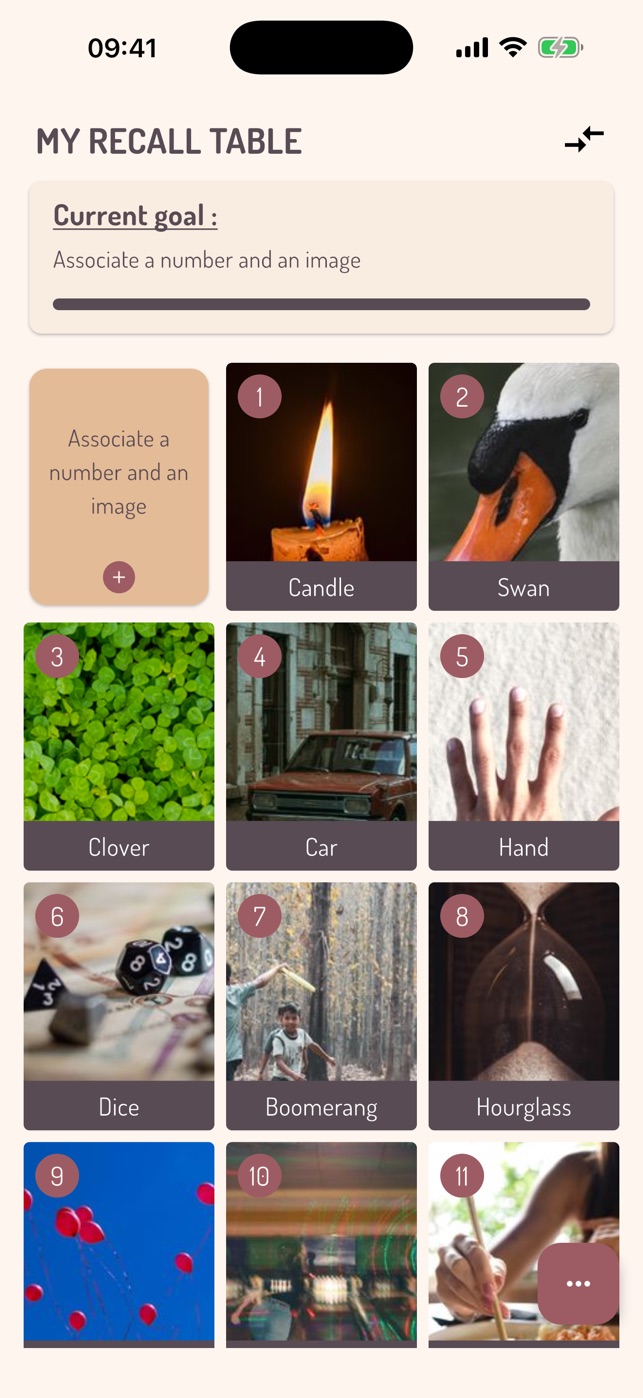
Memoria recall table screen: a grid of numbers linked to images
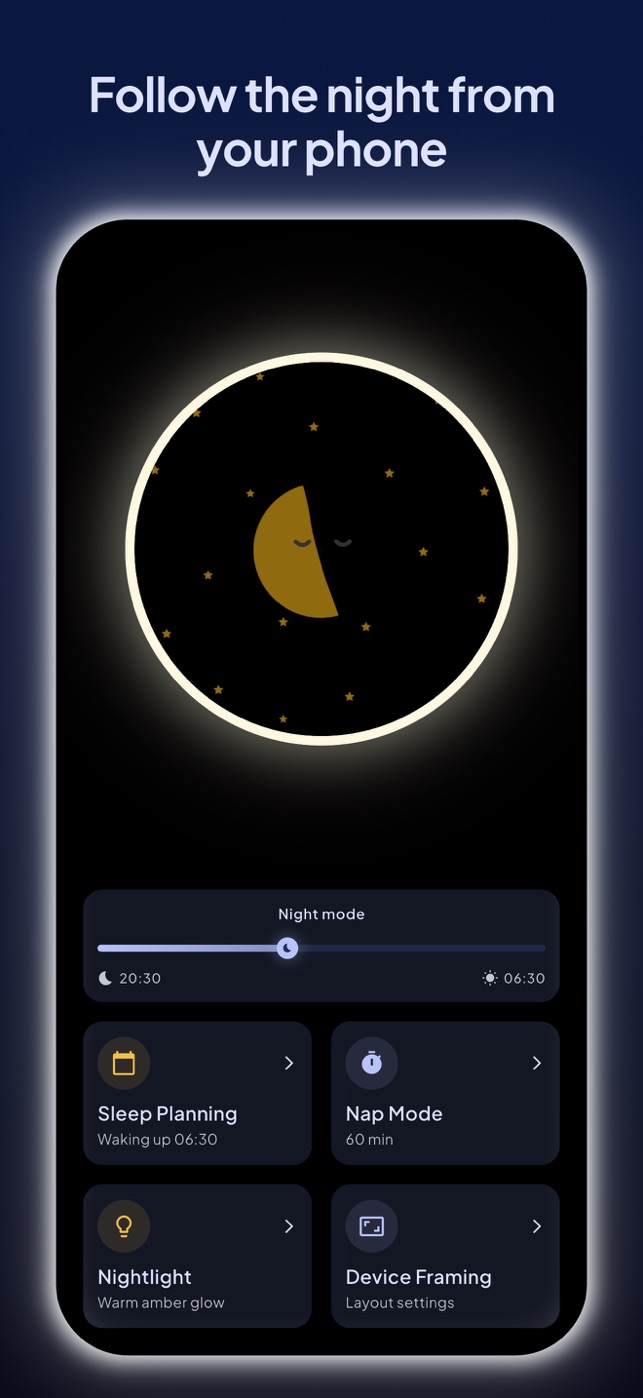
Luna parent screen to follow the night from your phone

What I do

One developer, whole products.

A developer with many years of experience, I have embraced AI and complemented it with my expertise in native and cross-platform mobile development.

I work alone or as a small duo, from the first idea to the store release: product thinking, screen design, development, testing, App Store and Google Play listings, then the updates.

Every app starts from a real need, often my own. It ships when it is genuinely useful.

More about my work →

Projects

Three apps, three worlds.

  • Android
  • iOS

Memoria: Recall Table

Remember any sequence of numbers.

Memoria is an Android and iOS app that helps you memorize numbers with a recall table (peg system), a mnemonic technique that links every number to an image.

  • A table of your own. Link each number to a short name and an image: a photo from your phone or a picture found online.
  • Built-in guide. Tips to choose strong associations: rhymes, one consonant per group of ten, step-by-step progression.
  • Classic mode. Find the image for a number, or the number for an image, to anchor each link both ways.
Discover Memoria
Memoria recall table screen: a grid of numbers linked to images
  • Android
  • iOS

Luna: Sleep Clock & Nightlight

Your child's first alarm clock, on a phone you already own.

Luna is a free Android and iOS app that turns an old smartphone into a sleep clock and nightlight for children, controlled from a parent's phone over the home Wi-Fi.

  • An old phone becomes a clock. Install Luna on a phone you no longer carry and stand it by the bed: that's your child's sleep clock.
  • Parental remote control. From your own phone, over your Wi-Fi, run the clock without entering the room. Pairing uses a 4-digit code.
  • A clock made for kids. A big clear clock, a moon at night, a sun in the morning, and a progress bar showing how much night is left.
Discover Luna
Luna parent screen to follow the night from your phone
  • Wear OS

Furious Watch Face

The watch face that tells you the time… and insults you.

Furious Watch Face is a watch face for Wear OS 4+ smartwatches that spells out the time in words, or digits, followed by a random insult, in English or French.

  • Time in words. The hour, a well-chosen word, then the minutes: three lines to read in a glance. Or classic digits.
  • A random insult. A fourth line rotates on the interval you choose: every 5, 10, 20, 30 or 60 minutes.
  • Bilingual. English or French, set separately for the time and for the insults.
Discover Furious Watch Face

Platforms

Where your day happens.

  • Android

    Apps published on Google Play, from the latest phone to the old one getting a second life.

  • iOS

    The same apps on iPhone, released on the App Store with the same attention to detail.

  • Wear OS

    Watch faces for smartwatches, made to be read in a glance, right on your wrist.

Approach

What shapes every app.

  1. Useful first

    An app should solve a real everyday problem, not add one more notification.

  2. Easy to pick up

    A child, a busy parent or a curious mind should understand the screen without a manual.

  3. Respect for your data

    None of my apps asks you to create an account: what you make in them stays on your devices.

  4. Personality

    An app can be serious without being bland. Every project has its own character.

Contact

An idea, a question, some feedback?

Write to me directly. I read and answer every message myself.

Professional profiles